Public advisory: Malaysia's cyber threat level is now Medium. What it means for you, and what anyone in IT must do now
What happened
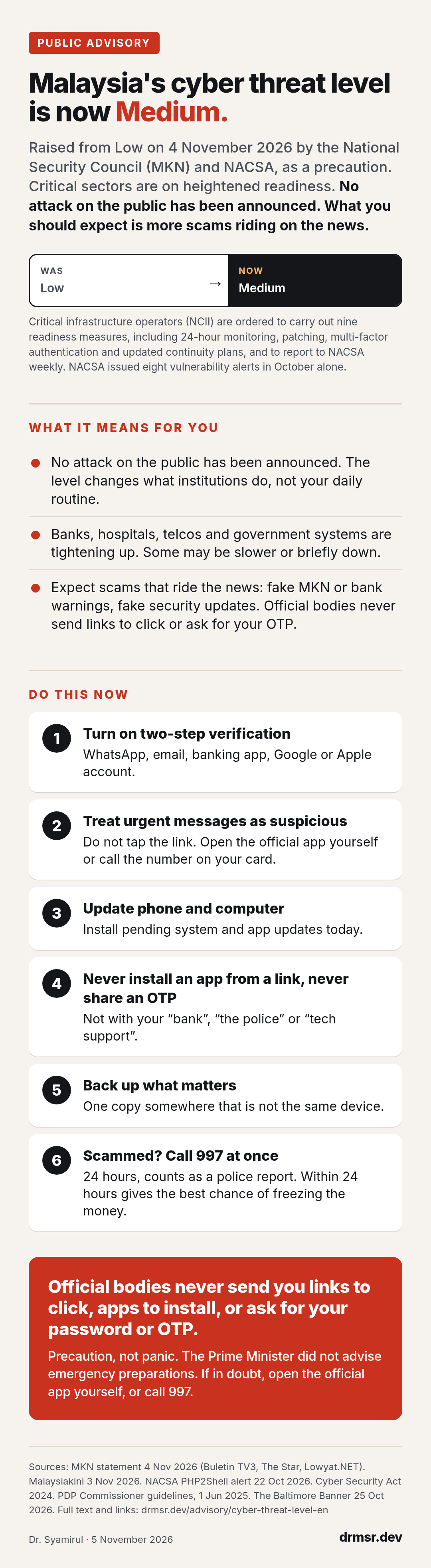
On 4 November 2026 the National Security Council (Majlis Keselamatan Negara, MKN) announced that the National Cyber Security Agency (NACSA) has raised the National Cyber Security Threat Level from Low to Medium. MKN called it a precaution in light of current security developments, meant to keep essential services running.
It followed the Prime Minister's statement in the Dewan Rakyat on 3 November, after a special MKN meeting the day before. He said Malaysia is considered a potential target for cyberattacks, for two reasons: the country's digital infrastructure and data centres are among the strongest in the region, and its position on Palestine. He added that not everything the government knows can be made public.
Organisations that run the country's critical systems (the National Critical Information Infrastructure, or NCII) have been ordered to carry out nine readiness measures. The four made public are round-the-clock security monitoring, patching of systems, multi-factor authentication, and updated service continuity plans. Sector heads must now report their threat status to NACSA every week. In October alone, NACSA's coordination centre (NC4) issued eight alerts about vulnerabilities affecting critical operators and government agencies.
What this means for you
No attack on the Malaysian public has been announced. A threat level changes what institutions do, not what you do day to day. Banks, hospitals, utilities, telcos and government systems are tightening their defences, and some may be slower or briefly unavailable while they do.
What you should expect is more scams riding on the news. Every alert like this produces a wave of fake messages: "MKN warning, verify your account", "your bank is under attack, move your money", "install this security update". None of these come from the government or your bank. Official bodies do not send you links to click, apps to install, or requests for your password or one-time code.
The Prime Minister did not advise the public to make emergency preparations. Precaution is the word, not panic.
What to do now
- Turn on two-step verification. WhatsApp (Settings, Account, Two-step verification), your email, your banking app, your Google or Apple account. This one setting stops most account takeovers.
- Treat urgent messages as suspicious, especially any that mention this alert, your bank, the government, or an "update". Do not tap the link. Open the official app yourself, or call the number printed on your card.
- Update your phone and your computer. Install pending system updates and app updates today. If you received a ZIP file through WhatsApp recently, read our earlier advisory.
- Never install an app from a link, and never give anyone your one-time code (OTP). Not your "bank", not "the police", not "tech support".
- Back up what matters. Family photos, documents, your business files. Keep one copy somewhere that is not the same device.
- If you are scammed, call 997 at once. The National Scam Response Centre runs 24 hours a day and the call counts as a police report. Reporting within 24 hours gives the best chance of freezing the money.
References
- Majlis Keselamatan Negara statement, 4 November 2026, reported by Buletin TV3, The Star and Lowyat.NET
- Malaysiakini, 3 November 2026, M'sia a potential target for security threats amid global volatility, PM says
- NACSA alert on PHP2Shell, 22 October 2026, reported by Lowyat.NET; advisories at nacsa.gov.my
- Cyber Security Act 2024 (Act 854), summary by CMS and ASEAN Briefing
- Personal Data Protection Commissioner guidelines on data breach notification and Data Protection Officers, in force 1 June 2025, summary by DLA Piper
- Johns Hopkins Bayview exposure: The Baltimore Banner, 25 October 2026, and Inc.
- National Scam Response Centre 997, malaysia.gov.my