Public advisory: WhatsApp ZIP malware infects the computer, not the phone
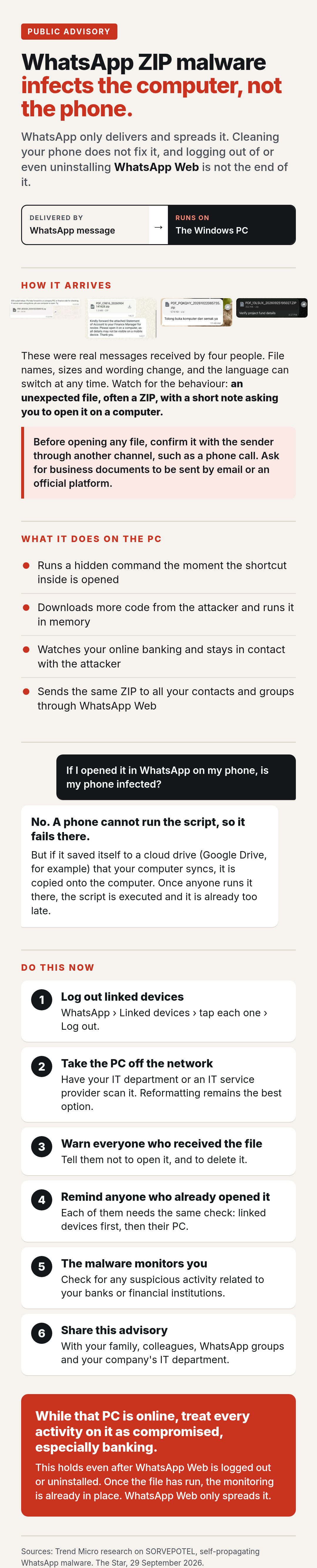
How it arrives
The message comes from someone you know, or appears in a group you are in. It is written as routine paperwork: a statement of account, a purchase order, an invoice, a receipt or a request to verify details. These four were received by different people:
File names, sizes and wording change from one wave to the next, and the language can switch at any time. The version first reported in Brazil and the one now circulating in Malaysia already differ this way. Recognise it by its behaviour instead: an unexpected file, often a ZIP, with a short note asking you to open it on a computer. A genuine statement or invoice does not need a computer to open.
Before opening any file you did not expect, confirm it with the sender through another channel, such as a phone call. Business documents should come by email or through an official platform, and it is reasonable to ask for that.
Cleaning your phone does not fix it
If you opened the ZIP, cleaning your phone does not fix it. Logging out of, or even uninstalling, WhatsApp Web is not the end of it either. WhatsApp is only how the file is delivered and spread. The malware runs on the Windows computer and stays there. While that computer is connected to the internet, treat any activity on it as compromised, online banking most of all.
What it does on the computer
Security researchers call this malware SORVEPOTEL. Inside the ZIP is a Windows shortcut. When it is opened, it quietly runs a hidden command that downloads more code from the attacker's server and runs it straight in the computer's memory. That code hides inside a normal Windows process, watches for banking activity, and stays in contact with several of the attacker's servers.
It then spreads. If WhatsApp Web or WhatsApp Desktop is signed in on that computer, the malware uses it to send the same ZIP to every contact and group. This is why the message appears to come from people you trust: their computers sent it without their knowledge.
Once the file has run, logging out of or uninstalling WhatsApp Web does not stop it. The monitoring is already in place. WhatsApp Web is only the channel it uses to spread.
I opened it in WhatsApp on my phone. Is my phone infected?
No. The file will fail on a phone, because a phone cannot run that script. It arrives disguised as a ZIP, a VBS file or a PDF.
However, if your phone saved it automatically to a cloud drive (Google Drive, for example) and your computer syncs with that drive, the file is copied onto your computer. Once anyone runs it there, the script is executed and it is already too late.
What to do now
- Log out every linked device. On your phone, open WhatsApp, go to Linked devices, tap each one and choose Log out.
- Take the computer that was linked off the network. Unplug the cable and turn off Wi-Fi. Have your IT department or an IT service provider run a full scan with an up-to-date Windows Defender. Reformatting the computer remains the best option. Do not sign in to WhatsApp Web on it again until it is clean.
- Tell everyone who received the file not to open it, and to delete it.
- Remind anyone who already opened it. Each of them needs the same check: their linked devices first, then their computer.
- Check for any suspicious activity related to your banks or financial institutions.
- Share this page with your family, colleagues, WhatsApp groups and your company's IT department.
References
- Trend Micro, Self-Propagating Malware Spreading Via WhatsApp, Targets Brazilian Users
- The Star, 29 September 2026, Malaysians report being targeted by malware file sent through WhatsApp